
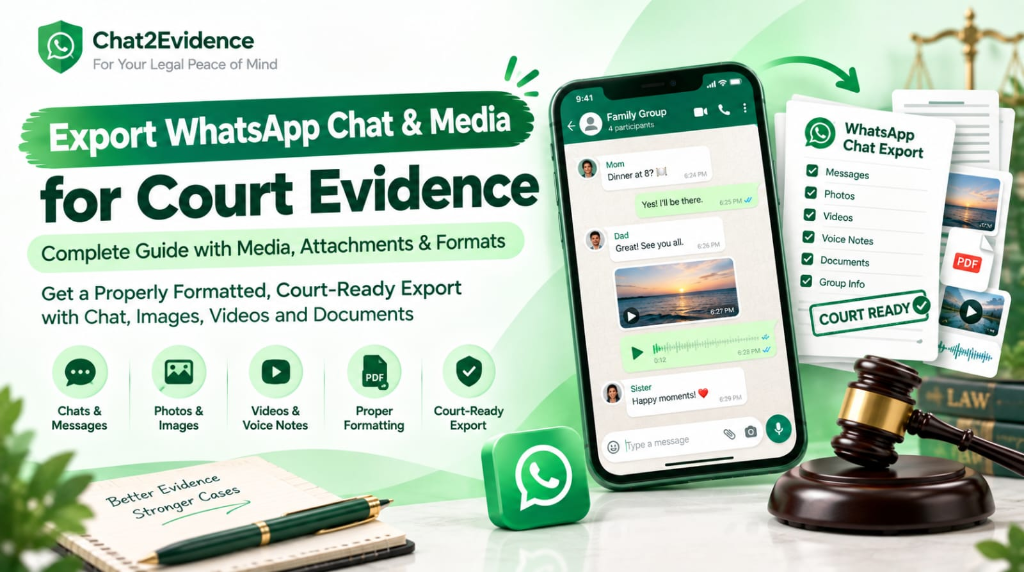
Export WhatsApp Chat Media for Court Evidence: The Complete Forensic Guide (India 2026)
Home › Blog › Export WhatsApp Chat Media for Court Evidence
Table of Contents
- Quick Answer: Export With Media or Without — Which Survives Court?
- Why "Export Without Media" Quietly Destroys Your Case
- The Truncation Trap: WhatsApp's Hidden Export Limits
- Anatomy of the WhatsApp ZIP Export: What's Inside and Why It Matters
- The Forensic Media Export Protocol: iPhone & Android
- Media Type-by-Type: Photos, Videos, Voice Notes, Documents
- Linking Media to Timestamps: The Chronological Court PDF
- Hashing the Container: One ZIP, One Fingerprint
- Comparison Matrix: Bare Export vs Forensic Media Export
- Case Study: The ₹38 Lakh Payment Proof Hiding in Media Files
- Court Filing Protocol for Media Evidence
- 8 Fatal Mistakes in Media Export and Preservation
- Frequently Asked Questions
- Conclusion & Action Plan
Quick Answer: Export With Media or Without — Which Survives Court?
Export WITH media — every time the photos, videos, voice notes, or documents carry any evidentiary weight. Here's the one-paragraph position:
A "Without Media" export produces a _chat.txt file in which every photo, video, and voice note is replaced by the words "image omitted" (or "video omitted" / "audio omitted"). In cross-examination, that placeholder is a gift to opposing counsel: "My Lord, the witness has deliberately withheld the media — the record is incomplete and self-serving." A complete evidentiary record under Section 63 of the Bharatiya Sakshya Adhiniyam, 2023 requires the electronic record in its entirety — text and attachments — supported by a certificate, an integrity hash, and a sealed digital copy.The trade-off is real: exporting with media caps the export at roughly 10,000 most recent messages (versus ~40,000 without) and the media package truncates around 18–25 MB. This guide shows you how to handle both limits forensically instead of letting them silently amputate your evidence.
Why "Export Without Media" Quietly Destroys Your Case
Most generic "how to export WhatsApp chat" advice — including WhatsApp's own help pages — recommends "Without Media" because the file is smaller and the message limit is higher. That advice is fine for saving a memory. It is dangerous for litigation.
Here's what each export option actually produces in the _chat.txt file:
| Export Option | What the Text File Contains | What the Court Sees |
|---|---|---|
| With Media | Every message with timestamp and sender, plus each media file extracted alongside, referenced by filename at the exact position it appeared | A complete conversation: "See the site photo I sent at 4:32 PM" followed by the actual photo, embedded in sequence |
| Without Media | The same messages, but every attachment replaced by a one-line placeholder: <Media omitted> | A conversation full of holes: "See the site photo I sent at 4:32 PM" followed by… nothing |
Three ways the placeholder version loses cases:
1. The incompleteness objection. Indian courts admit electronic records in full or not at all — a selectively assembled record is attacked as cherry-picked. "Media omitted" placeholders are visible holes. Opposing counsel doesn't need to prove you hid anything; the holes themselves create reasonable doubt about the record's completeness, and judges are demonstrably less persuaded by partial records.
2. The content was IN the media. In a huge share of disputes, the legally decisive content is not the text around the media — it is the media: the photo of the delivered goods, the voice note admitting the balance, the video of the property condition, the PDF of the quotation. Export without media and you have preserved the wrapper while destroying the evidence.
3. The reversal asymmetry. If you later realize the media mattered, you can regenerate a with-media export — but only if the chat is still intact on your phone. If the counterparty triggers "Delete for Everyone," if your phone is lost, or if a cloud restore overwrites state, the media is gone permanently. Preservation is strictly easier in the forward direction.
🚨 The rule: For any conversation that might ever see a courtroom, the first export should always be with media. You can always make a second, media-less copy for convenience. The reverse is not true.
The Truncation Trap: WhatsApp's Hidden Export Limits
WhatsApp's export feature has hard ceilings that most users discover only after evidence has been silently cut. Know these numbers before you export:
The limits, precisely
| Limit | With Media | Without Media |
|---|---|---|
| Message cap | ~10,000 most recent messages | ~40,000 most recent messages |
| Media package size | Truncates around 18–25 MB — whichever comes first | No media package |
| Practical consequence | A chat heavy with photos/videos may export only days or weeks of history, even if 10,000 messages exist | Nearly four years of a typical one-to-one chat |
The size limit is the dangerous one. WhatsApp builds the export by taking the most recent messages first and stops packaging media once the package hits roughly 18–25 MB. A chat with a handful of videos can produce an export containing three videos and only one week of messages — while silently dropping everything older.
The iPhone/Android packaging difference
| Platform | What You Receive |
|---|---|
| iPhone (iOS) | A .zip archive containing _chat.txt + media files |
| Android | Historically a plain .txt (media handled inconsistently by version); recent versions also produce the ZIP package. Always verify what your version produced before assuming media came through |
Escaping the trap (in order of preference)
- Export early and repeatedly. The limits apply per export. A chat that today has 60,000 messages can still yield complete segmented exports if you exported at 30,000 and 10,000. Preservation is cumulative — each export is a snapshot.
- Segment by date where needed. For very long chats, export the recent window with media, and preserve older material from an earlier export. Label files by date range (
chat_2023-2024.zip,chat_2025.zip) and never mix or overwrite them. - Match media separately as a fallback. If the media package truncates, you can separately save media files from WhatsApp Web/Desktop download, then match each file to its chat position by timestamp — workable, but manually error-prone, and requires you to document the matching process for the certificate.
- Forensic database extraction (high-stakes matters only). A qualified examiner can extract the
msgstore.dbdatabase and produce the complete history with attachments. This costs ₹15,000–₹50,000 and is justified mainly in high-value commercial or criminal matters.
💡 Key insight: The export limits are why timing is a forensic act. The best evidence file in Indian courts is usually a series of dated exports, each hash-stamped, not one heroic export attempted after the dispute explodes.
Anatomy of the WhatsApp ZIP Export: What's Inside and Why It Matters
When WhatsApp packages an export with media, it produces a ZIP archive. Understanding its structure lets you verify completeness, answer cross-examination questions, and convert it into a court record without errors.
What's inside the ZIP
WhatsApp Chat with [Contact Name].zip
│
├── _chat.txt                  ← every message, timestamp, sender; media references inline
├── IMG-20240115-WA0001.jpg    ← photos (named by date received + sequence)
├── IMG-20240115-WA0002.jpg
├── VID-20240116-WA0001.mp4    ← videos
├── PTT-20240116-WA0002.opus   ← voice notes ("Push To Talk")
├── AUD-20240117-WA0001.m4a    ← other audio
├── DOC-20240118-WA0001.pdf    ← documents sent/received
└── …                          ← stickers, GIFs (typically .webp)
Four forensic properties of this structure
1. The filename is a timestamp anchor. IMG-20240115-WA0001.jpg encodes the date the media entered your chat. Cross-referencing filenames against _chat.txt timestamps lets you prove which message a file belongs to — and prove that nothing was inserted later.
2. _chat.txt references media at exact positions. A line in the text file like:
[15/01/2024, 16:32:11] Rahul Sharma: IMG-20240115-WA0001.jpg (file attached)
<Media omitted>   ← appears in WITHOUT-media exports only
…places that photo precisely between the messages sent at 16:31 and 16:33. This is the linkage that lets a forensic PDF embed media inline rather than as a detached annexure.
3. Unsaved contacts appear as numbers, not names. In _chat.txt, a participant who isn't in your contacts appears as their raw phone number. This is gold for attribution — the file itself ties messages to a +91 number, not an editable display name.
4. The ZIP is one hashable container. Because media and text ship together, one SHA-256 hash of the entire ZIP covers everything inside. Any swapped photo or edited text file changes the container hash. (Caveat in the hashing section below.)
⚠️ Verify before you rely: After every export, open _chat.txt, scroll to the first and last lines, and confirm the date range matches what you expect. If the export truncated, the first line will be later than the start of your dispute — a silent failure you'll only discover in cross-examination if you don't check now.
The Forensic Media Export Protocol: iPhone & Android
Follow this sequence exactly. It mirrors the 7-step protocol from our screenshot authentication guide, extended for media handling.
Phase 1 — Before you touch the export button
- Airplane mode ON. Stops "Delete for Everyone" sync and prevents new messages from shifting the export window mid-process.
- Pause cloud backup sync (Settings → Chats → Chat backup → off) so a restore can't overwrite historical state.
- Record device particulars: make, model, OS version, IMEI (
*#06#), WhatsApp version. These go into your Section 63 BSA certificate. - Ensure storage space. A media-heavy export can exceed 1–2 GB; a failed export from low storage produces nothing.
Phase 2 — Native export (iPhone)
- Open the chat → tap the contact/group name at the top → scroll down → Export Chat.
- Choose Include Media. (If the package is huge and the recent window is all that matters for the dispute, consider one with-media export for the recent window AND one without-media for the deep history — labeled separately, never merged.)
- In the share sheet, choose Save to Files (locally on the iPhone or AirDrop to your Mac). Avoid email for large exports — attachment limits corrupt or truncate the transfer.
- Rename the file immediately to include the export date:
chat-rahul-exported-2026-09-11.zip.
Phase 3 — Native export (Android)
- Open the chat → ⋮ (three dots) → More → Export chat.
- Choose Include Media.
- Depending on version, Android offers share targets or saves directly. Save to local storage (Files app), then transfer to your computer via USB cable — not via another messaging or cloud app that re-compresses media.
- Verify what you received: a ZIP (current versions) or a bare
_chat.txt(older versions). If it's a bare TXT, your media did not come through — you must handle media separately (see the truncation-trap fallbacks).
Phase 4 — Immediately after export
- Hash the ZIP (next section) — before opening, moving, or renaming anything further.
- Email the hash to yourself and one trusted third party. The timestamp is your pre-litigation anchor.
- Work only on copies. The original ZIP becomes your sealed-media master; every conversion, printout, and PDF happens from copies.
⚠️ Never re-zip, re-compress, or "clean up" the export folder. Re-zipping changes bytes and therefore the hash. If you must rename files for court formatting, do it in a working copy and document every rename in your exhibit index.
Media Type-by-Type: Photos, Videos, Voice Notes, Documents
Each media type has its own admissibility traps. Here's how to handle each one.
Photos (IMG-*.jpg)
The EXIF trap. WhatsApp compresses images and strips most EXIF metadata (camera model, GPS coordinates, original capture time) during transmission. Consequences:
- Do not build your case on EXIF claims for WhatsApp-received photos — you can't prove them.
- Do not claim a photo was taken at a location/time based on metadata you don't have. If original-camera metadata matters (e.g., proving you photographed damage on a specific date), preserve the original photo from your phone's camera roll separately — it retains EXIF, and you certify it as a distinct exhibit.
- Admissibility of the WhatsApp photo itself rests on the chat context: the message it was attached to, the surrounding conversation, the hash, and the certificate.
Print quality: Court printouts of photos must be color, minimum A4, one photo per page with its caption (timestamp + sender + filename) printed beneath. Grayscale photocopies of photos are routinely given zero weight — and photocopying a compressed WhatsApp JPEG degrades it further.
Videos (VID-*.mp4)
- Preserve the original
.mp4untouched; courts may want to view it natively. - For filing, a printed key-frame (still image with timestamp burned in) goes into the PDF at the message position; the full video goes on the sealed media.
- If the video's audio contains admissions, prepare a transcript as a separate annexure (see our audio transcripts guide).
- Large videos are a common cause of media-package truncation — check whether the full video actually exported.
Voice notes (PTT-*.opus) — the format courts can't play
WhatsApp voice notes are stored in .opus format (filenames begin PTT-, for push-to-talk). Most court laptops, Windows Media Player, and even some forensic workstations cannot play .opus natively. Handle them like this:
| Step | Action | Why |
|---|---|---|
| 1 | Preserve the original .opus file untouched | It is your primary electronic record |
| 2 | Convert a working copy to MP3 (192 kbps) or WAV for courtroom playback | Universal compatibility |
| 3 | Convert locally in your browser — never upload voice notes to a server-based converter | Voice notes contain the most intimate evidence in the case; uploading them to a random converter site is a confidentiality breach and creates a third-party copy you can't control |
| 4 | Prepare a verbatim transcript (original language + certified translation if needed), timestamped, with speaker identified | The written transcript is what the judge reads; audio is what the court hears |
| 5 | Hash both the original and the converted file; note both hashes in the certificate | Conversion is lossy; you must be able to show the original exists unaltered |
Documents (DOC-*.pdf / images of documents)
- Quotation PDFs, invoices, agreements sent over WhatsApp are fully admissible as electronic records — the WhatsApp transmission actually strengthens authenticity (the sender's own account delivered it, timestamped).
- Ensure the PDF inside the export is the complete file, not a preview thumbnail.
- If a document was sent as a photo of a signed page, treat it as a photo (color print, context linkage) and preserve the original-camera version separately if available.
Stickers, GIFs, and reactions
Usually low evidentiary value — but if a sticker/GIF carries meaning in context (e.g., threatening imagery), preserve it. Reactions and message edits are not captured in standard exports; if a message was edited (WhatsApp's edit feature), note it in your testimony and preserve any pre-edit evidence (screenshots taken at the time).
Linking Media to Timestamps: The Chronological Court PDF
The single biggest upgrade you can make to media evidence is inline embedding: instead of a text printout plus a folder of loose photos, produce one chronological PDF where every media item appears at the exact position it was sent in the conversation.
Why inline embedding wins
| Question in Cross-Examination | Detached Photos (Annexure Style) | Inline Chronological PDF |
|---|---|---|
| "Where is the photo that goes with this message?" | Shuffling papers; index hunt; judge waits | It is immediately below the message |
| "How do we know this photo belongs to this chat?" | Your word + separate filename list | Filename and timestamp printed beneath the image, matching _chat.txt |
| "Was anything between these two messages removed?" | Hard to demonstrate | Continuous sequence with visible timestamps; gaps are obvious |
| "These photos could be from anywhere." | Weak answer | Photo sits between two contextualizing messages in the same thread |
Court formatting requirements for the PDF
- Chronological order, WhatsApp timestamps on every message
- +91 phone numbers for participants (from the export's raw-number lines), with a participant key on page 1 mapping numbers to names as stated in your affidavit
- Media embedded inline, color, with caption: timestamp · sender · original filename
- Continuous pagination, running exhibit header ("Ex. C-2 / Page __ of __")
- Regional language preserved — Hindi/regional-language chats stay in the original script; translation is a separate annexure
- Table of contents auto-generated from date ranges if the record exceeds ~50 pages
⚡ This is precisely what Chat2Evidence automates: drop your ZIP, and the tool produces the inline-embedded, paginated, +91-numbered chronological PDF with certificate and hash — the manual version of this job takes 3–8 hours for a media-heavy chat and one mislabeled photo can sink the whole exhibit. Try it on your export →
Hashing the Container: One ZIP, One Fingerprint
The SHA-256 protocol from the screenshot guide applies, with two media-specific refinements.
Standard step (unchanged)
Generate the hash of the complete export ZIP the moment it's created:
- Windows:
certutil -hashfile "chat-rahul-exported-2026-09-11.zip" SHA256 - Mac/Linux:
shasum -a 256 chat-rahul-exported-2026-09-11.zip
Email the resulting 64-character hash to yourself and a third party immediately.
Refinement 1 — Also hash the final PDF separately
Your filed PDF is a derived record (export → conversion). Generate its own hash after creation and record both hashes in the certificate:
| File | Role | Hash Recorded |
|---|---|---|
| Original ZIP | Master electronic record | ✅ |
| Final court PDF | Filed exhibit | ✅ |
| Sealed-media CD/USB copy of ZIP | Physical submission | ✅ (must match original ZIP hash) |
Refinement 2 — The re-zip caveat
ZIP files are not byte-stable across re-compression: the same folder re-zipped produces a different hash. Therefore:
- Treat the first exported ZIP as untouchable master evidence.
- Never re-create it, never "optimize" it.
- If a court-appointed examiner needs the contents, they receive the CD/USB copy whose hash matches your certificate.
If you follow one rule from this entire guide, it's this: hash first, touch never.
The courtroom verification ritual (same as before)
shasum -a 256 exhibit-c2.pdf        # or certutil on Windows
# compare output, character for character, with the hash in your certificate
A match ends the tampering argument arithmetically. In an era of AI-generated media, a hash predating the litigation is the strongest integrity proof available to an ordinary litigant.
Comparison Matrix: Bare Export vs Forensic Media Export
| Evaluation Criterion | "Without Media" TXT Export | With-Media Export (Untouched) | Forensic Media Export (Hashed + Inline PDF + Certificate) |
|---|---|---|---|
| Completeness | Media replaced by <Media omitted> placeholders | Complete text + media files | Complete, embedded inline in context |
| Message depth | ~40,000 messages | ~10,000 + size truncation risk | Segmented exports preserve deep history |
| Attribution | Numbers for unsaved contacts | Same, plus media filenames anchored to dates | Numbers everywhere + participant key + captions |
| Integrity proof | None | None (until you hash it) | SHA-256 on ZIP + PDF, pre-litigation timestamp |
| Cross-examination survivability | Low — incomplete record attack | Medium — loose files, no linkage | High — linkage, hash, certificate |
| Registry acceptance | Poor — placeholders confuse filing | Poor — loose media folder | Clean paginated exhibit with index |
| Voice note handling | None | .opus files courts often can't play | Original .opus + MP3/WAV + transcript |
| Photo print quality | N/A | Risk of grayscale degradation | Color, captioned, one per page |
| Typical outcome | Objected → excluded or zero weight | Admitted with weight fights | Admitted → weight argued on merits |
Case Study: The ₹38 Lakh Payment Proof Hiding in Media Files
A composite case study based on a recurring construction-contract dispute pattern. Names changed; mechanics exactly as described.
The dispute: A Pune-based interiors contractor, Sanika Deshpande, completed a ₹1.1 crore commercial fit-out. The client paid ₹72 lakh and stalled. The balance chase happened on WhatsApp — and the decisive proof was not in the text. It was in three photos: site-completion images the client's project manager had sent with the message "Work looks complete, will process the final tranche this Friday," followed by a voice note confirming the ₹38 lakh balance figure.
The first mistake (nearly fatal): Sanika's office admin, following generic online advice, exported the chat without media — "the text limit is higher and the file is smaller." The resulting _chat.txt showed the manager's text messages but every photo and voice note read <Media omitted>.
The ambush: In the Commercial Court at Pune, opposing counsel seized on it: "The plaintiff's record is a sieve, My Lord. The very items she claims prove completion are omitted. This is a curated fabrication." The judge ordered Sanika to produce the complete record or the exhibits would be given no weight.
The recovery:
- Sanika's phone still held the original chat — the counterparty hadn't deleted anything. Her advocate immediately had her export with media, airplane mode first, and the office CA hashed and email-stamped the ZIP the same afternoon.
- The voice note (.opus) was converted locally to MP3 for playback, with a verbatim Marathi transcript + certified English translation as separate annexures.
- The export was converted into a chronological PDF with the three photos embedded inline at the exact positions they'd been sent, each captioned with timestamp, sender, and filename.
The outcome: The inline PDF demolished the curation argument — the photos sat exactly where the conversation said they should. The client settled within weeks: ₹31 lakh recovered via consent terms (a discount on ₹38 lakh that Sanika accepted to avoid a two-year trial). Her advocate's post-mortem was blunt: had the counterparty deleted the media before the second export, the case likely settled for under ₹10 lakh or dragged on with affidavit battles over what the photos showed.
The three transferable lessons:
- The first export must be with media. The admin's "smaller file" decision nearly cost ₹30+ lakh. Policy for any business: exports of business chats happen quarterly, always with media, always hashed.
- Media is often the evidence; text is the context. The balance admission was in a voice note. A text-only export had preserved the wrapper and shredded the proof.
- Format kills more evidence than fabrication does. The .opus voice note was unplayable in court as-is. Preserving the original AND producing a playable, transcribed derivative is what made it usable.
⚡ The ₹999 parallel: Sanika's recovery required a second export, a manual inline-PDF rebuild, transcript work, and two advocate visits. Chat2Evidence compresses that into ~5 minutes per export — export with media, drop the ZIP, receive the court-ready PDF with certificate and hash. Protect your next payment chase →
Court Filing Protocol for Media Evidence
- Export with media taken; ZIP preserved untouched as master
- Completeness check: opened
_chat.txt, verified first/last dates cover the dispute period - SHA-256 hash of ZIP generated, recorded, email-timestamped to self + third party
- Final PDF hash generated separately and recorded
- Chronological PDF: media inline, color photos, captions (timestamp · sender · filename), +91 numbers, participant key, pagination, exhibit header
- Voice notes: original .opus preserved + MP3/WAV working copy + verbatim transcript + translation annexure
- Photos: color A4 printouts (in the PDF), one per page with caption
- Original-camera photos (if relied on for EXIF): preserved separately as distinct exhibits, never mixed with WhatsApp-received media
- Section 63 BSA certificate completed: record identification (including media inventory), production method, device particulars, Section 63(2) conditions, both hash values
- Sealed media: master ZIP (hash-matched) + playable MP3s on write-once CD-R or sealed USB, labeled with case style, date, hash
- Exhibit index: one-page table — exhibit number, description, date range, page range, hash
- Copies per forum rules: court + each opposite party + your file
- Device readiness: original phone intact, available, chat unmodified
8 Fatal Mistakes in Media Export and Preservation
🚨 Mistake 1 — Exporting without media because "the file is smaller." The single most common evidence-destroying action in Indian litigation. Smaller file, destroyed evidence. See Sanika's case above.
🚨 Mistake 2 — Never checking whether the export truncated. Users assume the export covers the whole chat. With media, it often doesn't. The first line of _chat.txt tells you the real start date — read it, every time.
🚨 Mistake 3 — Uploading voice notes or chats to server-based converter sites. Voice notes are the most sensitive evidence in most cases. A server-side "OPUS to MP3" converter copies your evidence to an unknown server — a confidentiality breach (and in advocate-handled matters, a potential professional-conduct problem). Convert locally, in your browser, or offline.
🚨 Mistake 4 — Re-zipping, renaming-inside, or "cleaning up" the export folder. Any re-packaging changes the hash and breaks your integrity timeline. Work on copies; the master ZIP is untouchable.
🚨 Mistake 5 — Grayscale photocopies of photos. Photocopied photos get zero weight and look like concealment. Color, captioned, one per page — always.
🚨 Mistake 6 — Claiming EXIF metadata for WhatsApp-received images. WhatsApp strips EXIF. Asserting camera/GPS data you can't prove hands opposing counsel an easy credibility kill. Claim only what the export supports.
🚨 Mistake 7 — Filing media as a loose annexure without linkage to the chat. Loose photos without filename-timestamp linkage are trivially challenged as "from anywhere." Inline embedding is the fix, not an optional enhancement.
🚨 Mistake 8 — Waiting for the dispute to do the first export. Truncation limits, counterparty deletion, phone loss — all risks grow with time. Quarterly hashed with-media exports of business chats cost nothing and routinely decide cases years later.
Frequently Asked Questions
1. Should I export WhatsApp chat with or without media for court?
With media, if any photo, video, voice note, or document carries evidentiary value. Without-media exports replace every attachment with an "omitted" placeholder, inviting the incompleteness objection. Use without-media only as a supplementary deep-history copy, never as the primary record.
2. What are the exact WhatsApp export limits?
Approximately 10,000 most recent messages with media (with the media package truncating around 18–25 MB), versus ~40,000 messages without media. For longer histories, use segmented dated exports or forensic database extraction.
3. Does WhatsApp notify the other person when I export a chat?
No. Exporting is completely silent — it creates a local file on your phone and notifies no one.
4. What are PTT files in my WhatsApp export?
PTT-*.opus files are voice notes (push-to-talk messages). The .opus format often won't play on court computers, so you preserve the original and convert a working copy to MP3/WAV, plus prepare a verbatim transcript.
5. Can WhatsApp photos be used as evidence without the original camera file?
Yes — WhatsApp-received photos are admissible as electronic records via the chat context, certificate, and hash. But you cannot claim EXIF metadata (location/camera/time of capture) for them, because WhatsApp strips it. If EXIF matters, preserve the original camera photo as a separate exhibit.
6. How do I handle a chat longer than 40,000 messages?
Export in date-segmented chunks across multiple exports, label each by date range, hash each separately, and never merge or overwrite. For high-stakes matters, a forensic examiner can extract the full database (msgstore.db) — at ₹15,000–₹50,000.
7. My export shows "<Media omitted>" — is my evidence ruined?
Not necessarily, if the original chat still exists on your phone. Re-export with media immediately (airplane mode first, in case the counterparty deletes). If the chat is gone, recovery options narrow sharply — which is why the first export should always be with media.
8. Can the court play WhatsApp videos?
Usually yes for MP4, but you should prepare a printed key-frame in the PDF and keep the original .mp4 on sealed media. If the video's audio matters, add a transcript annexure.
9. How do I prove the photos in my PDF are the same ones from the chat?
Three anchors: (1) the caption under each photo shows its original filename and the WhatsApp timestamp; (2) the filename date matches _chat.txt; (3) the master ZIP's SHA-256 hash — generated before litigation — covers every media file inside it.
10. Is it safe to use an online tool to convert my WhatsApp export into a court PDF?
Depends entirely on architecture. Server-upload tools copy your entire chat to their servers — a serious confidentiality risk for legal evidence. Client-side tools that run entirely in your browser (zero upload, verifiable by disconnecting the internet mid-process) are safe, because your data never leaves your device.
Conclusion & Action Plan
Media is where WhatsApp evidence lives — the photo of delivered goods, the voice note admitting the balance, the PDF of the signed quotation. Exporting without media preserves the outline and destroys the substance, and the truncation limits mean every day you wait, your export window shrinks.
Your action plan:
- Today (20 minutes): Identify every chat that could ever matter. For each, do a with-media export, hash the ZIP, email the hash to yourself. Check the first line of
_chat.txtagainst your expected start date. - This week: Convert the key export(s) into inline chronological PDFs — media embedded at exact positions, +91 numbers, captions, pagination. Handle voice notes (original .opus + playable MP3 + transcript).
- Quarterly (businesses especially): Repeat the export-and-hash cycle for all business chats. Dated, hashed snapshots are what turn a two-year-old dispute into a slam-dunk.
- Before filing: Complete the filing protocol, draft your Section 63 BSA certificate with both hashes, and prepare sealed media.
Your three options
| Option | What You Get | Best If |
|---|---|---|
| 1. Do it yourself (Free) | This guide's protocol — manual export, hashing, inline PDF assembly, transcripts | You have hours, a small chat, and strong nerves |
| 2. Chat2Evidence — ₹999 (Recommended) | ZIP/TXT in → court-ready chronological PDF with media inline, +91 numbers, Section 63 BSA certificate, SHA-256 hash — ~5 minutes, zero upload | You want forensic-grade output today without the 3–8 hour manual rebuild or the risk of one mislabeled photo |
| 3. Private forensic lab (₹15,000–₹50,000) | Full database extraction, examiner report, expert testimony | High-value commercial or criminal matters where the other side fields forensics |
For the overwhelming majority of civil, consumer, maintenance, and business disputes, Option 2 produces Option 3-grade preservation discipline at a price smaller than one advocate consultation.
⚡ Turn your WhatsApp export into court-ready evidence in 5 minutes — ₹999, zero upload, media embedded inline, Section 63 BSA certificate and SHA-256 hash included. India's only client-side WhatsApp-to-court-evidence converter. Your evidence never leaves your device.
Related Guides
- How to Authenticate WhatsApp Screenshots for Court Submission — the master authentication protocol this guide builds on
- WhatsApp Audio Transcripts & Voice Notes under Section 63 BSA — deep-dive on voice note evidence
- Preserve WhatsApp Evidence Before Filing a Case — the emergency preservation protocol
- How to Export WhatsApp Chat for Court (Step-by-Step) — the basic export walkthrough
Disclaimer: This guide is legal information, not legal advice, and does not create an advocate-client relationship. Statutes and case law are stated as of September 2026. Consult a qualified advocate for your specific matter.